Test version

Your travel journal, shared

Every trip, day by day, on the map.

Waibook turns your trips into books: photos, food, memories and the places in between, laid out day by day on a map. Share them with friends, or keep them just for you.

Free for Android phones. iPhone comes later.

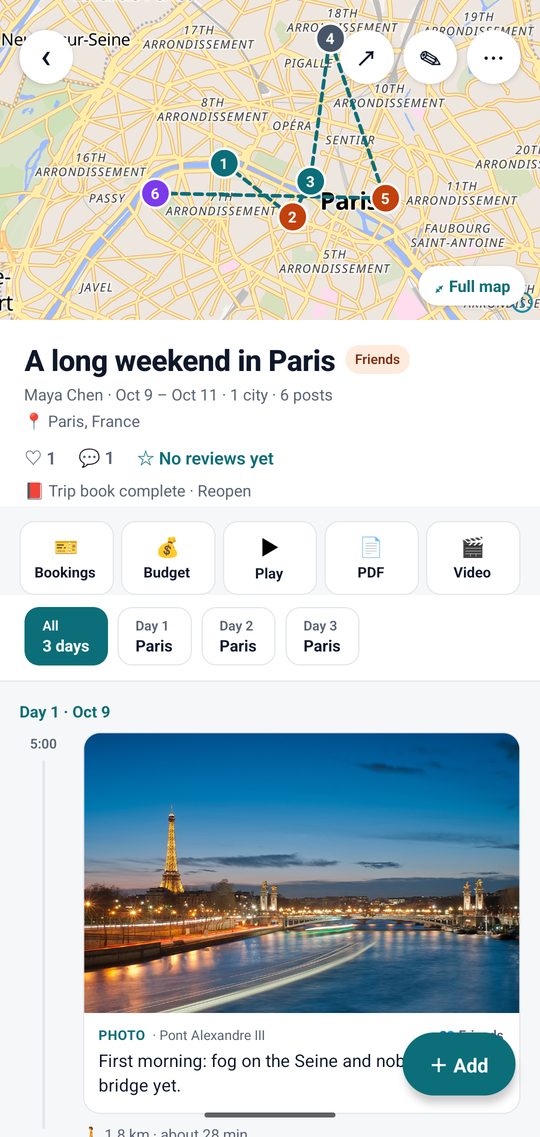
A trip in Waibook: the route through Paris on a map, with bookings, budget, play, PDF and video

What Waibook does

A trip book that writes itself as you go

Add a photo or a few words when something happens. Waibook puts it on the right day and the right spot on the map, so the trip tells its own story.

Your trip, day by day

Every trip gets a map with the route you took and a timeline of each day: where you went, what you ate, how far you walked between stops.

  • Photos and short videos, journal notes, restaurants and experiences
  • Ratings and prices for the places you'd recommend
  • The trip book closes itself when you get home, ready to share
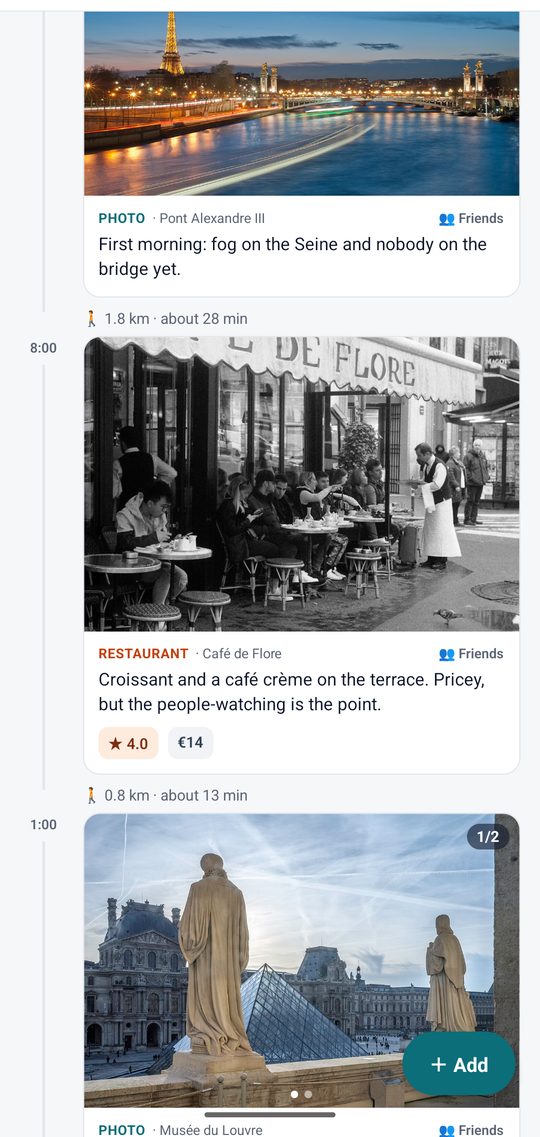
A trip's timeline: a photo of the Seine, then a café with its rating and price, and the walk between them

You choose who sees what

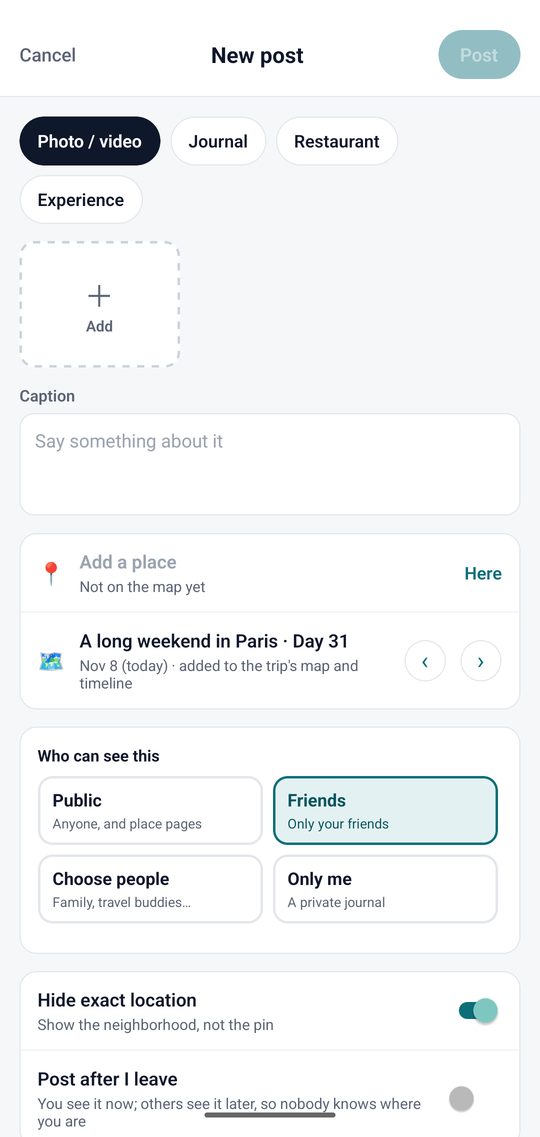
Each trip and each post has its own audience: everyone, friends, a list of people you pick, or only you.

  • Hide exact location is on by default: people see the neighborhood, not the pin
  • Post after I leave: share later, so nobody knows where you are right now
  • Nothing is tracked in the background; a place is added only when you add it
New post: photo, journal, restaurant or experience, and who can see it

Follow friends' trips

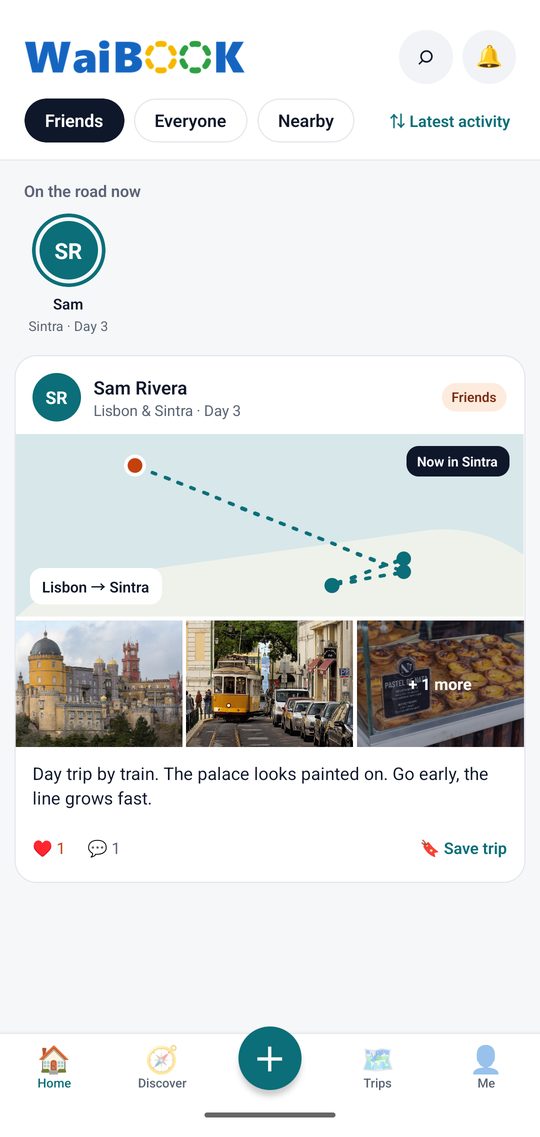
Home shows who's on the road now and the latest days from your friends' trips: their route, their photos, where they ate. Like, comment, or save a trip for your own plans.

Home feed with a friend's trip to Lisbon and Sintra

After the trip

Relive it, share it, keep it

A finished trip is easy to show off: on the TV with family, as a video for social media, or as a book you keep.

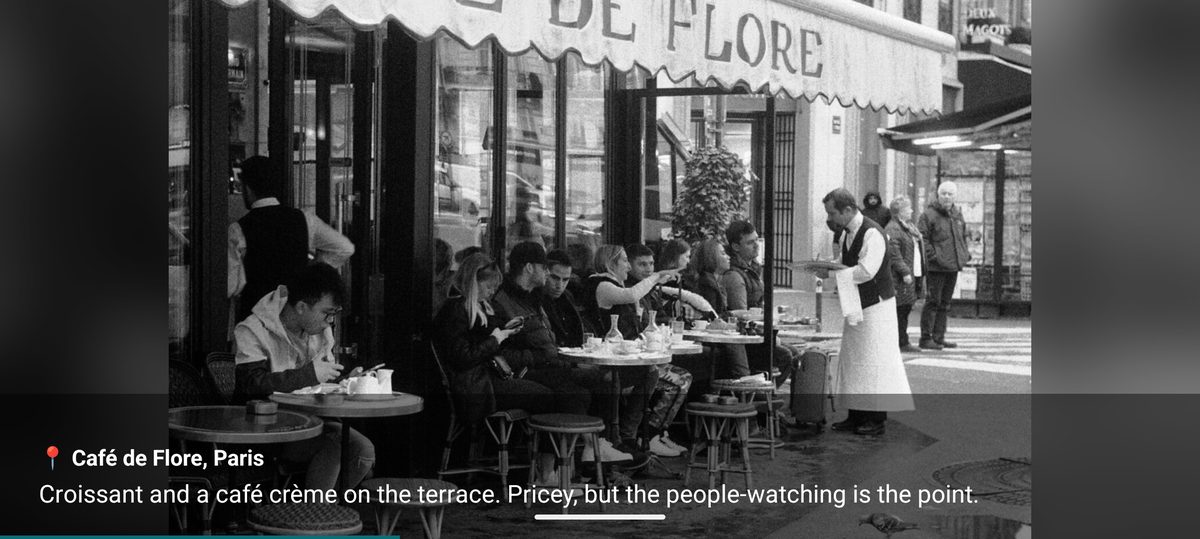
Play: a full-screen slideshow of the trip, here a photo of a Paris café with its caption
▶️

Play on the TV

A full-screen slideshow of one trip or several, day by day. Show it on the TV by casting or mirroring your phone.

🎬

Make a video

Your trip as an MP4 with music, tall for Reels, TikTok and Stories or wide for YouTube. Share it anywhere.

📄

PDF trip book

Every day, photo and memory in one file to save, print or send by email.

Plan the next one

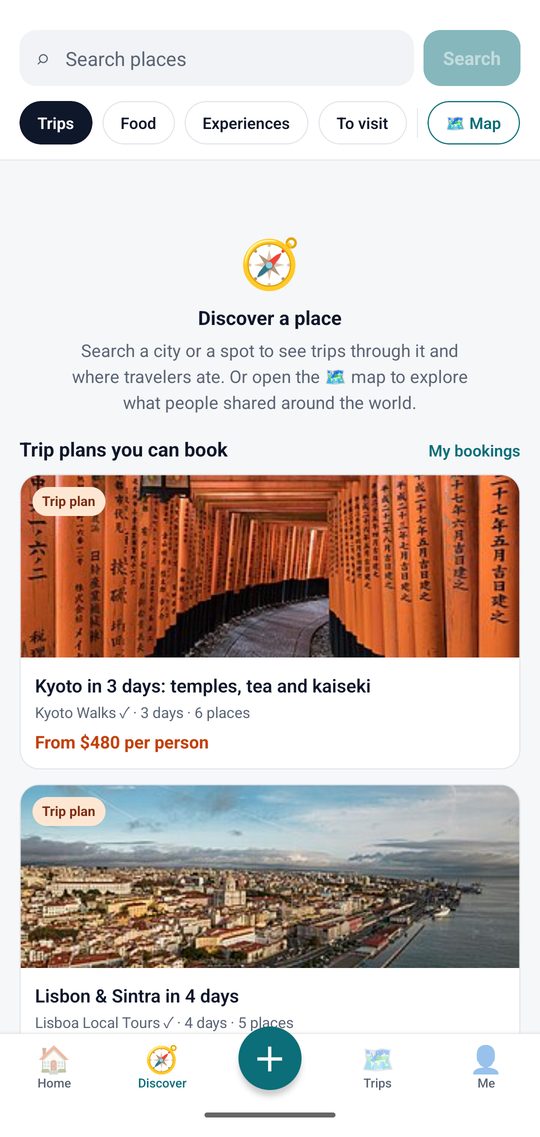
Discover trips and food from other travelers, save the places you want to see, and plan together with friends.

  • Search a city or open the map to see what people shared there
  • Copy a trip plan, like our 3 days in Paris guide, into your own trips
  • Keep bookings and a shared budget with the people you travel with
Discover: search places, trip plans and food

Budget, split with your group

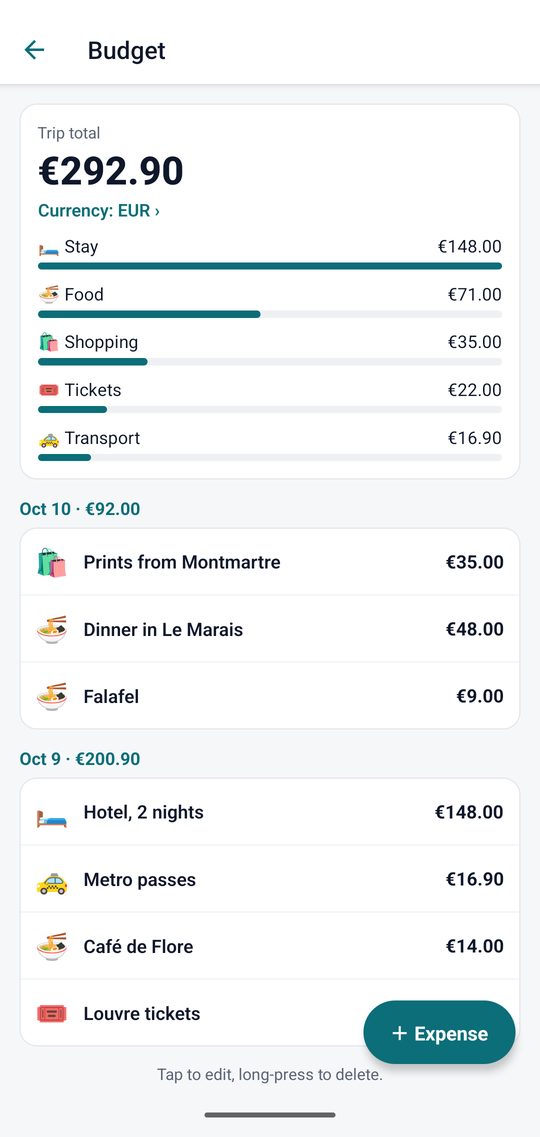
Add what you spend as you go. Waibook adds it up by day and by type, in the trip's currency, and shows who owes whom.

Budget: trip total by category and by day

All your places on one map

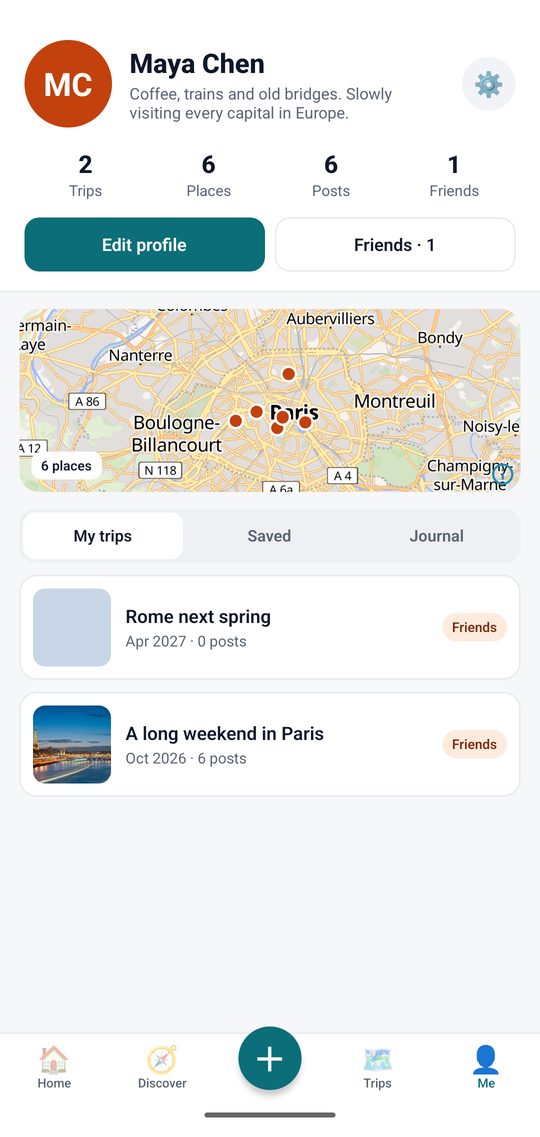
Your profile collects every trip and every place you've been, on one map that grows with each trip.

Profile: trips, places, posts and friends, with a map of the places

Try it

Install Waibook on your Android phone

Waibook isn't in the Play Store yet, so you install it from this page. It takes about a minute.

Android 7 or newer.

  1. Open this page on your Android phone and tap DownloadYour browser may ask if you want to keep the file. Tap Download anyway.
  2. Open the downloaded fileTap the notification, or find waibook.apk in Downloads. If the phone asks, allow your browser to install unknown apps, then go back and tap the file again.
  3. Tap InstallGoogle Play Protect may say it doesn't know this app, because it isn't in the store yet. Tap More details › Install anyway.
  4. Open Waibook and sign in with your emailNo password: we email you a 6-digit code. Check spam if it doesn't arrive within a minute.
This is a test version. Things may break or change, and you'll get updates from time to time: small fixes arrive by themselves, bigger ones mean downloading again from this page (your trips stay, they're on the server). Keep your original photos on your phone too. When something looks wrong or confusing, tell the person who invited you: that's the whole point of testing.